Less manual trial and error
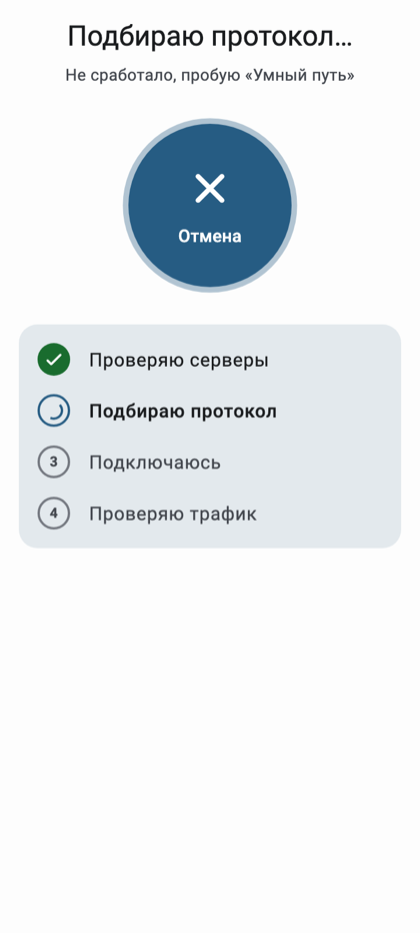
Auto-selection of server and protocol helps find a working route from the ones available in your key. If you want to manage the connection yourself, there is manual selection.
ShustryVPN
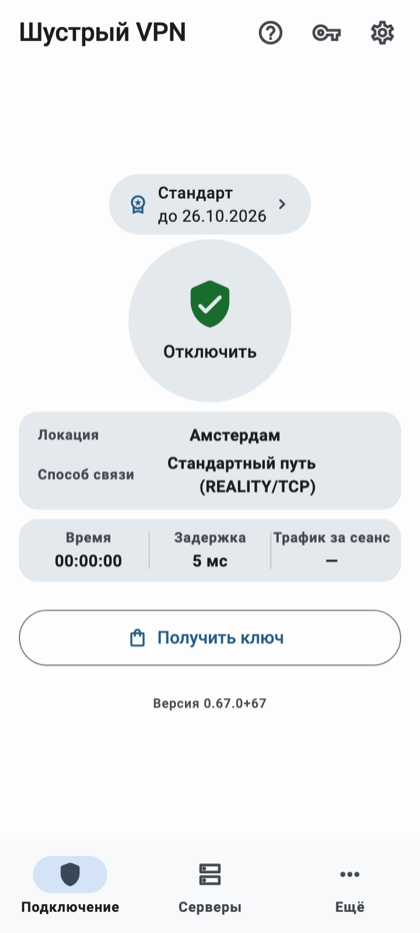
ShustryVPN is an Android app. It checks that data actually flows through the tunnel, helps you switch a route that stopped working, and lets you choose which apps use the VPN and which connect directly.
Auto-selection of server and protocol helps find a working route from the ones available in your key. If you want to manage the connection yourself, there is manual selection.
The app checks data transfer through the tunnel. If the connection stops working, there are connection checks and a re-selection command.
Five protocols in one app: VLESS + REALITY (three transport variants), Hysteria2, and AmneziaWG. If one method stops working, others are already there to try.
Split tunneling lets you exclude selected apps from the VPN or, on the contrary, route only selected apps through it.
A ready-made set of apps can be taken out of the VPN with a single setting. The rest of the traffic keeps using the selected tunneling mode.
A subscription link lets you update the connection list inside the app. You don't need to reinstall the client when servers change.
Five modern connection methods in one app — so there is usually a backup if one route stops working.
Five protocols in one app. Most VPN clients offer one or two protocols — often just WireGuard and OpenVPN. ShustryVPN bundles five modern methods, so you don't have to install several apps or manually switch between them.
Modern obfuscation, not just encryption. REALITY and Hysteria2 are built to look like ordinary TLS traffic to a regular website, so the connection is harder to identify as a VPN — not just harder to decrypt.
Automatic selection. The app tries the available methods and picks a working one, checking that data actually flows through the tunnel. You don't have to understand protocols to get a working route.
Backup routes built in. If one method is blocked or stops working, the others are already there to switch to — without reinstalling the app.
Install the app from the official channel listed on shustryvpn.org.
Add the key or subscription link you received.
Tap connect. If needed, change the server or choose which apps should work directly.
Demo screenshots from a test environment (test data).

ShustryVPN is an Android app. Google Play publication is not complete, and an iOS version is in development. The app helps you find a working connection; it does not guarantee it works under any blocking, the highest speed, or absolute anonymity.
Email us at [email protected]. We usually reply within 1–2 business days.